





Accurate specimen identification is one of the most critical steps in histology and pathology workflows. A tissue cassette printer helps laboratories create clear, consistent labels that improve traceability and reduce the risk of specimen mix-ups. However, even the best equipment cannot prevent errors caused by poor processes or incorrect usage.
Whether you're managing a busy pathology laboratory or setting up a new histology workflow, avoiding these common mistakes can help improve efficiency, maintain compliance, and protect sample integrity.

1. Printing on the Wrong Cassette Type
Not all tissue cassettes are created equal. Different manufacturers may use different materials, colors, surface finishes, or dimensions. Using cassettes that are incompatible with your printer's recommended specifications can lead to poor print quality, unreadable barcodes, or inconsistent marking.
Why It Matters
Poorly printed labels can create specimen identification challenges later in the workflow, especially after processing and embedding.
Best Practice
Always verify cassette compatibility before purchasing supplies. If your laboratory uses multiple cassette types or colors, perform routine print quality checks whenever a new batch is introduced.
2. Skipping Routine Print Quality Verification
Many laboratories assume that if a tissue cassette printer is operating normally, every printed cassette is readable. Unfortunately, print quality issues can develop gradually and go unnoticed until they affect specimen tracking.
Why It Matters
A barcode that appears readable to the human eye may fail when scanned by laboratory information systems. Likewise, text that looks clear initially may become difficult to read after tissue processing.
Best Practice
Establish a quality control procedure that includes:
* Verifying barcode readability
* Checking text clarity and alignment
* Reviewing print contrast and consistency
* Inspecting sample cassettes from each batch
Routine verification helps identify problems before they impact patient samples.
3. Failing to Standardize Labeling Formats
One common mistake is allowing different users to create their own labeling conventions. Variations in font size, barcode placement, abbreviations, cassette color, or specimen naming can create confusion throughout the laboratory.
Why It Matters
Inconsistent labeling increases the likelihood of interpretation errors and can slow specimen handling during grossing, embedding, sectioning, and archiving.
Best Practice
Create standardized print templates for all specimen types. Define which information should appear on every cassette, such as:
* Case number
* Block designation
* Barcode
* Patient identifier (when appropriate)
* Collection date or accession number
Many modern tissue cassette printers allow laboratories to create and save standardized templates, helping ensure consistency across users and departments.

4. Relying Too Heavily on Manual Data Entry
Manual entry remains one of the most common sources of labeling errors in pathology laboratories. Even experienced technicians can accidentally transpose numbers or enter incorrect specimen information during busy periods.
Why It Matters
A single incorrect character can result in specimen tracking issues, delayed diagnoses, or costly investigations.
Best Practice
Whenever possible, integrate your tissue cassette printer with your laboratory information management system (LIMS) or hospital information management system (HIMS). Barcode scanners and automated data import features can significantly reduce transcription errors and improve workflow efficiency.
5. Neglecting Printer Maintenance and Operator Training
Many laboratories invest in advanced equipment but underestimate the importance of ongoing training and preventive maintenance.
Why It Matters
Dust accumulation, misaligned components, software configuration issues, or improper loading procedures can affect printer performance over time. In addition, new staff members may unknowingly develop inefficient habits that increase the risk of errors.
Best Practice
Implement a routine maintenance schedule that includes:
* Cleaning printer components
* Inspecting cassette loading mechanisms
* Updating software when recommended
* Verifying barcode scanner performance
* Training new operators on standard procedures
Regular maintenance helps keep your tissue cassette printer operating reliably while maximizing its service life.
Choosing the Right Tissue Cassette Printer
While proper procedures are critical, selecting the right equipment can also support a more reliable workflow. Laboratories should look for features such as durable marking technology, barcode compatibility, customizable templates, LIMS/HIMS integration, and sufficient capacity for their workload.
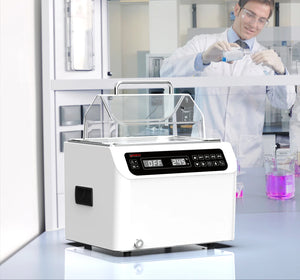
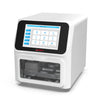
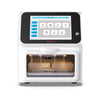
For example, Four E's USA Tissue Cassette Printers utilize consumable-free ultraviolet laser technology that permanently marks cassette surfaces rather than applying ink. The systems also support barcode printing, customizable templates, and LIMS/HIMS connectivity, features that can help laboratories maintain consistent labeling practices and improve workflow efficiency.

Conclusion
A tissue cassette printer is an essential tool for specimen identification, but achieving reliable results requires more than simply pressing "print." Avoiding common mistakes such as using incompatible cassettes, neglecting print quality checks, allowing inconsistent labeling formats, relying on manual data entry, and overlooking maintenance can significantly improve laboratory accuracy and productivity.
By combining standardized procedures, staff training, and appropriate printing technology, histology laboratories can reduce errors, improve traceability, and maintain confidence in every specimen they process.
Frequently Asked Questions (FAQs)
-
Q1: How often should print quality be checked?
Most laboratories perform print quality checks daily or at the start of each shift. Additional verification should be performed when changing cassette types, updating templates, or after maintenance procedures.
-
Q2: What features should I look for in a tissue cassette printer?
Key features include durable print quality, barcode support, customizable templates, LIMS/HIMS integration, high throughput capacity, ease of use, and low maintenance requirements.
-
Q3: What is the difference between on-demand printing and batch-collection printing?
On-demand printing is for single or real-time printing tasks that may be needed instantly when a specimen arrives. Batch-collection printing is optimized for printing larger groups of cassettes and collecting them in an organized output tray for easier batch handling. For laboratories with varying workflow requirements, Four E's USA offers Tissue Cassette Printer and Batch-Collection Cassette Printer to support different printing and collection needs.